The four platforms
Only a handful of platforms let you build a walkable 3D gallery and share it with a single link. They cost roughly the same, they photograph roughly the same, and almost every roundup repeats the same feature list without checking any of it. Here are the four best, what each is actually good and bad at, with prices read from each vendor's own pricing page in July 2026.
Metasteps, formerly ArtSteps
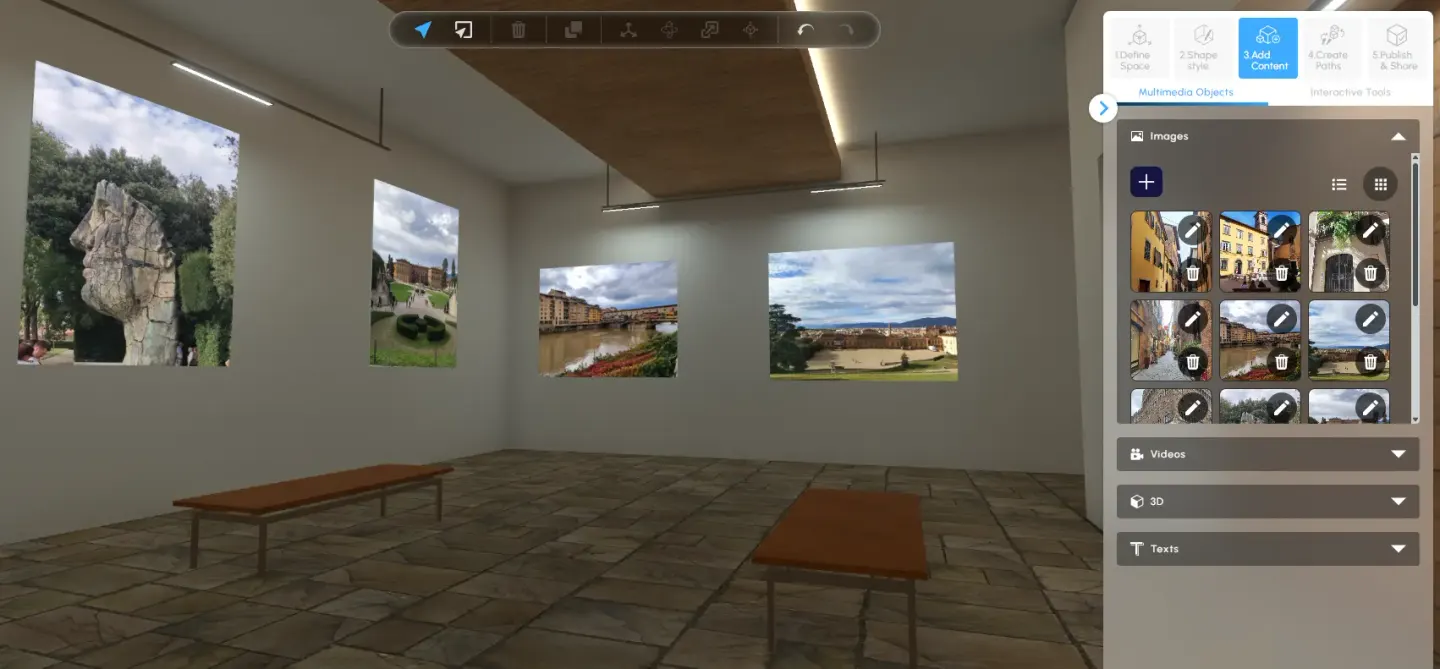
Built in Greece and widely used in schools and universities, and the successor to ArtSteps.
Metasteps costs €12, €29 or €89 per month, with a separate academic tier, and annual billing takes two months off. There is a free tier, but it keeps only one space published for 14 days, so it works as a trial rather than a free plan. Storage rather than artwork count is the real limit: 2 GB, 10 GB or 50 GB by tier, with individual files capped at 8 MB for images and 30 MB for video and 3D models. Premium props and templates are bought separately with credits, sold in packs from €15.
This is the one to choose if you are comfortable in 3D and want to build a space from scratch. From the €29 tier you can upload your own 3D model and use it as the shell of a room, and its info points, portals between spaces and embedded live web pages give you a lot to work with once you are inside.
- Good at: control over the room itself, and the freedom to shape or import the whole environment rather than picking from a shelf.
- Weak at: it assumes you want to do the work. Every piece is positioned by hand with three-axis arrow handles, and every title, price and description is typed in one at a time.
- Also weak at: the product page. Artwork titles cap at 60 characters and descriptions at 1,024, in plain text with no formatting at all, and each piece gets one link with a button labelled Buy, Info or Learn More from a fixed list. There is no visitor analytics on any plan, including the €89 tier.
Kunstmatrix

Trading from Berlin since 2010, and the only one built around running an art business rather than only showing work. Alongside the exhibitions sit an inventory system, a contacts and sales side that produces offers and invoices, and a phone app for previewing a piece on a real wall before anyone commits.
Pricing is $12, $30 or $60 per month, displayed as €10, €25 and €50 in Europe. That currency switch is why other articles disagree about what it costs. The tiers allow 50, 250 or 500 artworks and 5, 10 or 50 public exhibitions. The free Starter tier cannot publish a public 3D exhibition at all, so treat it as a trial.
- Good at: the business around the art, which nothing else here attempts. Each artwork can link to any external site, with the button relabelled to something like buy here, and paid accounts support video and audio on pieces.
- Weak at: placement is manual, dragging each artwork onto a fixed placeholder, and every detail is typed in by hand.
- Also weak at: the product page. Artwork text is unformatted, so a piece that needs explaining gets a plain paragraph and a link.
ArtPlacer

Its real strength is showing a piece on a client's wall: over 2,900 room mockups plus live augmented reality, with 11 gallery spaces offered alongside. If you sell to interior designers or collectors who want to picture something above their sofa, this is the one built for that job.
Artist plans are $8, $14 and $23 per month billed yearly, allowing 50, 100 and 500 artworks, with the top tier including unlimited exhibitions. A separate and differently structured set of plans exists for galleries and art professionals, so compare within the track that fits you rather than reading all the tiers as one ladder. There is a 14-day trial and no permanently free tier.
- Good at: structured artwork records. Year, medium, materials, dimensions, price, orientation and primary colours are proper named fields rather than free text, which keeps a large catalogue consistent and searchable.
- Weak at: placement is manual into numbered wall slots, and everything is uploaded and captioned by hand.
- Also weak at: the product page. Descriptions are plain text and external links are limited to two fixed slots, one for purchase and one for NFTs. Analytics only appear from the $23 tier upward.
MyGallery3D
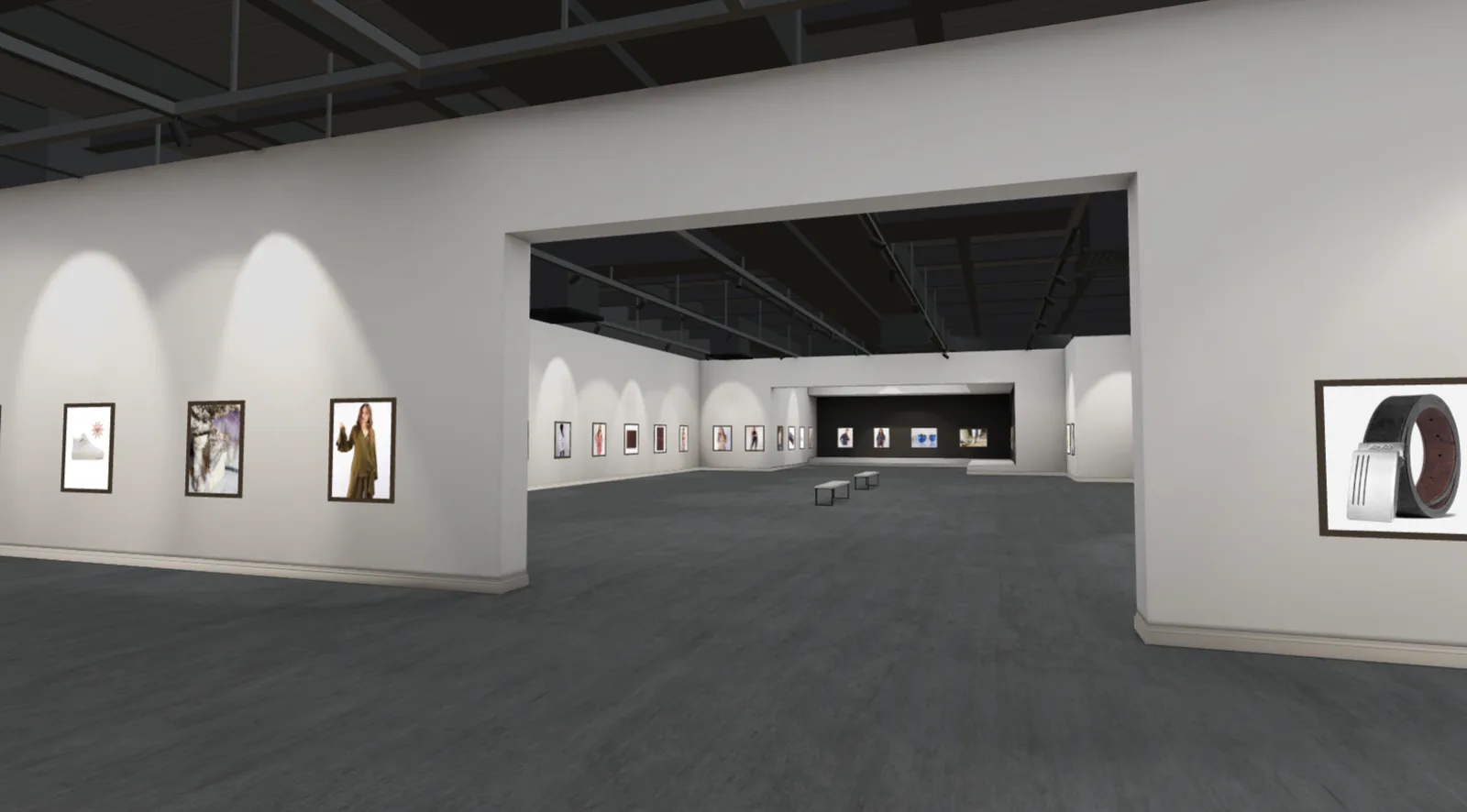
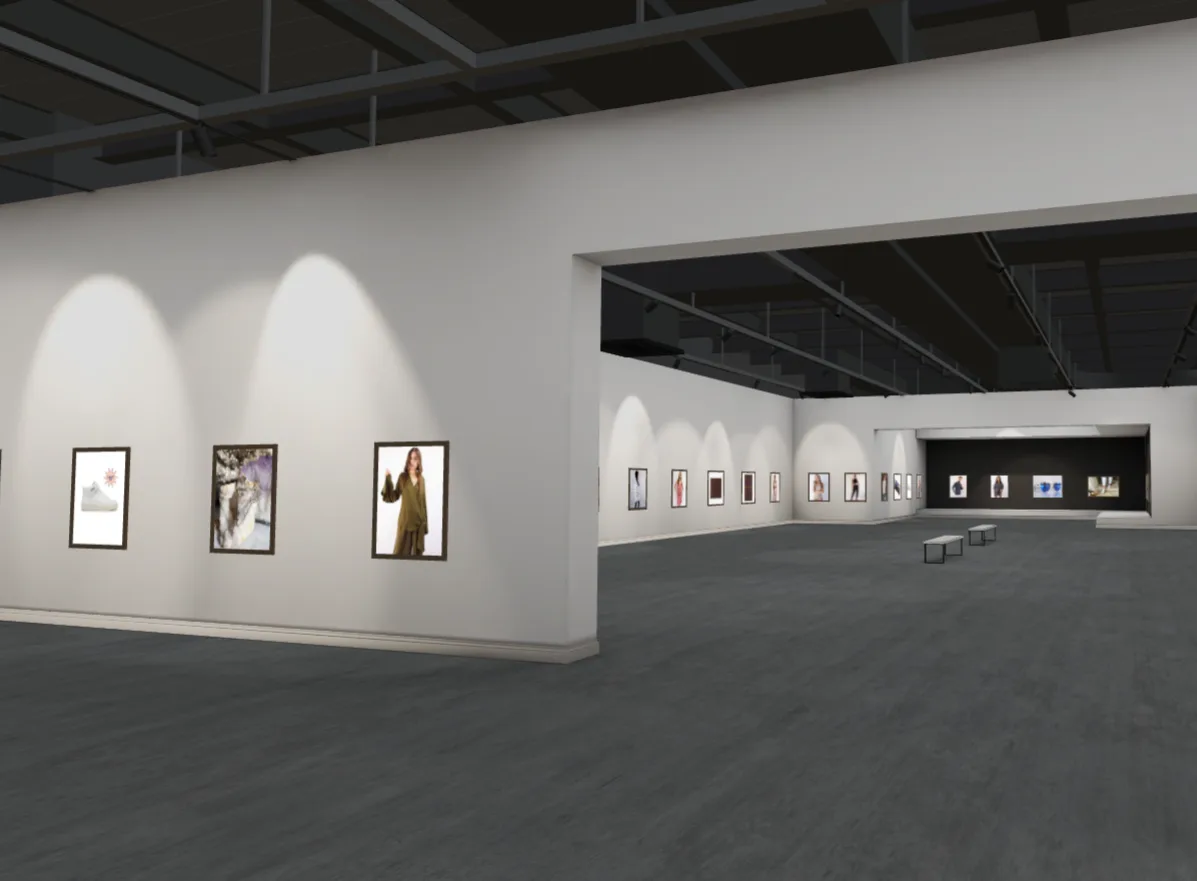
The newest of the four, and the only one where AI builds the gallery from a shop you already have. Building and editing is free with no card. Publishing costs $12.99, $18.99 or $24.99 per month for 25, 50 or 100 works, each starting with a 7-day free trial, and paying yearly is roughly two months free. A PRO add-on at $9.99 per month covers the whole account and adds visitor analytics, your own logo and brand colour, embedding on your own site, removal of the MyGallery3D badge, and your own Meta Pixel and Google Analytics.
- Good at: speed. Paste a store address and the whole gallery is generated in about a minute, with photos, titles, prices and descriptions already in place because they come across from your shop. The images are converted and compressed automatically so the room loads quickly, and the work is hung for you rather than left in a pile. Nothing is locked afterwards: you can move any piece, swap it onto another wall, resize it, reframe it or replace it entirely.
- Good at: the product page. Clicking a piece opens formatted text with headings, colours, images and embedded video, plus links anywhere you want them. AI writes the gallery's introduction for you, and when importing from a site that does not publish structured product data it works out which images are actually artwork and recovers their titles.
- Good at: more than flat work. Alongside images you can upload your own 3D objects as GLB or glTF files and stand them on the floor or on a pedestal, which matters if you make sculpture, ceramics or physical products that a photograph on a wall does not do justice to.
- Good at: measurement. It is the only one of the four where you can run your own Google Analytics and Meta Pixel inside the gallery.
- Weak at: the rooms are preset designs. Each gallery comes in three sizes, Small, Medium and Large, but bringing your own architecture means contacting them for a custom build rather than uploading it yourself.
The four side by side
Everything below was checked in July 2026 against each vendor's own published pricing and documentation. Where something could not be confirmed it is marked as not published rather than guessed.
| MyGallery3D | Metasteps | Kunstmatrix | ArtPlacer | |
|---|---|---|---|---|
| Price per month | $12.99 to $24.99 | €12, €29 or €89 | $12, $30 or $60 | $8, $14 or $23 |
| Artworks | 25, 50 or 100 | By storage, not count | 50, 250 or 500 | 50, 100 or 500 |
| Build before paying | Yes, free, no card, plus a 7-day free trial to publish | 14-day published trial | Trial, cannot publish | 14-day trial |
| Imports from your shop | Yes: Shopify, Etsy, WooCommerce, Squarespace, Wix | No | No, CSV only | No, CSV only |
| Who hangs the work | Done for you, then you adjust | You, by hand | You, by hand | You, by hand |
| Artwork page | Formatted text, images, video, links anywhere | Plain text, 1,024 characters, one link | Plain text, one link | Named fields, two link slots |
| Checkout | Cart, opens your Shopify checkout filled | Links out. Tickets only | Links out | Links out and enquiry form |
| Your own GA4 and Meta Pixel | Yes, with the PRO add-on | Not published | Not published | Not published |
| Built-in stats | Visits, time, devices, funnel, per-piece opens and carts | View count and live visitors | Top artworks and countries, on request | Visits, countries, top artworks |
| Room choice | Multiple designs, each in 3 sizes | Templates, or upload your own from €29 | Multiple spaces | 11 spaces |
| VR | Yes | Yes | Not published | Not published |
Which one suits you
- You already sell on Shopify, Etsy, WooCommerce, Squarespace or Wix: MyGallery3D. It is the only one that reads your shop, so you go from pasting a link to a complete, priced, described gallery in about a minute instead of uploading and captioning every piece by hand. It is also the only one that hangs the work for you, so you start from a finished show rather than an empty room.
- You run a gallery and need inventory, contacts and invoicing around the exhibitions: Kunstmatrix. Nothing else here has a back office, and after fifteen years it is the most settled option in the group.
- You sell to interior designers or collectors and need to show a piece on a client's wall: ArtPlacer. Its room mockups and AR preview are the real product, and the 3D exhibitions come along with them.
- You know your way around 3D and want to build the whole room yourself: Metasteps. From its €29 tier you can upload your own model as the space itself, and its info points and portals give you more to play with inside it. MyGallery3D can also host your own architecture, but as a custom build you arrange with them rather than something you upload on your own.
- You want to publish free and permanently: none of them. Metasteps keeps one space published for 14 days, Kunstmatrix's Starter cannot publish publicly at all, and ArtPlacer has no free tier. MyGallery3D is free to build and edit with no card, and publishing starts with a 7-day free trial.
Getting your work in
This is the part nobody warns you about, and it is where most of your time will actually go.
On three of the four, you upload each image and type in its title, its price, its medium, its dimensions. One piece at a time. If you have fifty or a hundred works, gathering the files, cropping them, getting them into the right format and size, then writing a description for every single one is not an evening's job. It is days, and for a big catalogue it can run into weeks. Kunstmatrix and ArtPlacer let you bulk import from a spreadsheet, which helps, but you still have to build the spreadsheet first.
None of the three reads an existing shop. We checked each vendor's documentation, help centre and FAQ for Shopify, Etsy, WooCommerce, Squarespace and Wix and found no published catalogue import on any of them. (ArtPlacer does publish Shopify and WordPress plugins, but they run the other way round, putting an ArtPlacer widget into your storefront rather than importing from it.)
MyGallery3D does that part for you. Paste your store link and it pulls in every image with its title, price and description already written, sizes and compresses each one so the gallery loads fast, and hangs the lot. On Etsy your listings come through Etsy's official API with their variations and your shop's star rating attached. On Shopify your variants and sale prices come with them.
You can still upload your own images if you would rather, exactly like the others. But if your work is already online, the whole job is done before you have finished your coffee.
Who hangs the work
Kunstmatrix, ArtPlacer and Metasteps all advertise setup in minutes, and all three then hand you an empty room. You position every piece yourself: Kunstmatrix by dragging onto fixed placeholders, ArtPlacer into numbered wall slots, Metasteps with three-axis arrow handles. The teaching guide written for ArtSteps recommends sketching your layout on paper before you start, which tells you how much work it is.
Metasteps does have an AI feature, Pythia, and it is worth knowing exactly what it does. Their own launch announcement says it picks the space, the sky, the terrain and the ambient sound from their library. It chooses the room. You still hang everything in it.
MyGallery3D hangs the work for you. It measures the usable length of each wall, sizes every piece according to its own proportions so a wide landscape and a tall portrait both sit correctly, and spaces the whole show evenly. What opens is a finished gallery rather than an empty one with a to-do list, and you then drag anything you want to move, swap pieces between walls, resize them or take them down.
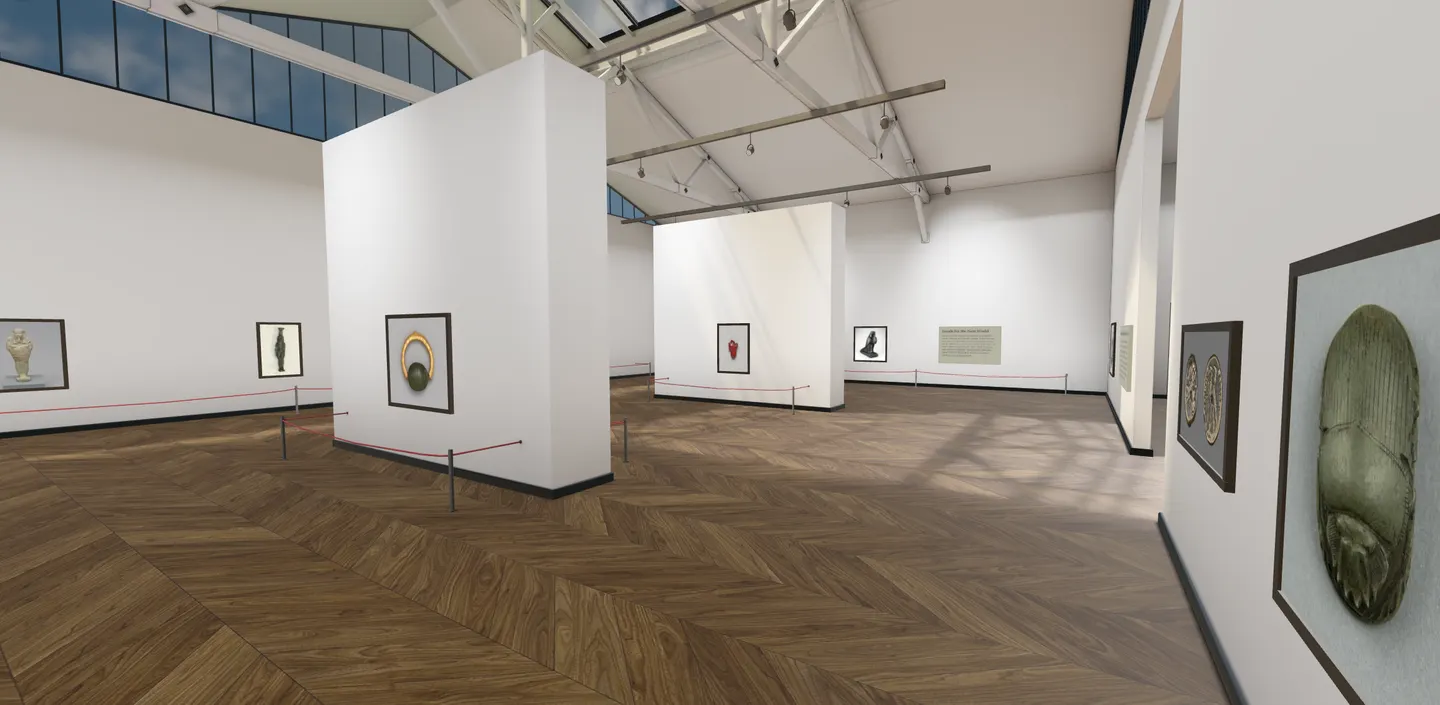
For a catalogue of a hundred works that is the difference between a minute and days, or weeks, and it is the single biggest reason people find it easier to get started with.
What happens when someone clicks a piece
On three of the four, clicking an artwork opens a small caption. A title, a short block of plain unformatted text, and a button or two.
Kunstmatrix lets its button point wherever you like. ArtPlacer swaps free text for structured fields covering year, medium, materials and dimensions, plus two link slots. Metasteps allows one link with a label chosen from Buy, Info or Learn More, and caps the description at 1,024 characters. None of the three lets you format that text.
On MyGallery3D, clicking a piece opens a full page. There is a real editor behind it: headings, styled text in the colours and fonts you choose, bulleted lists, images placed inside the text, embedded YouTube or Vimeo video, and links anywhere you want them pointing anywhere you like. Alongside that sit the price, the size and colour variants, and the photo carousel from your shop.
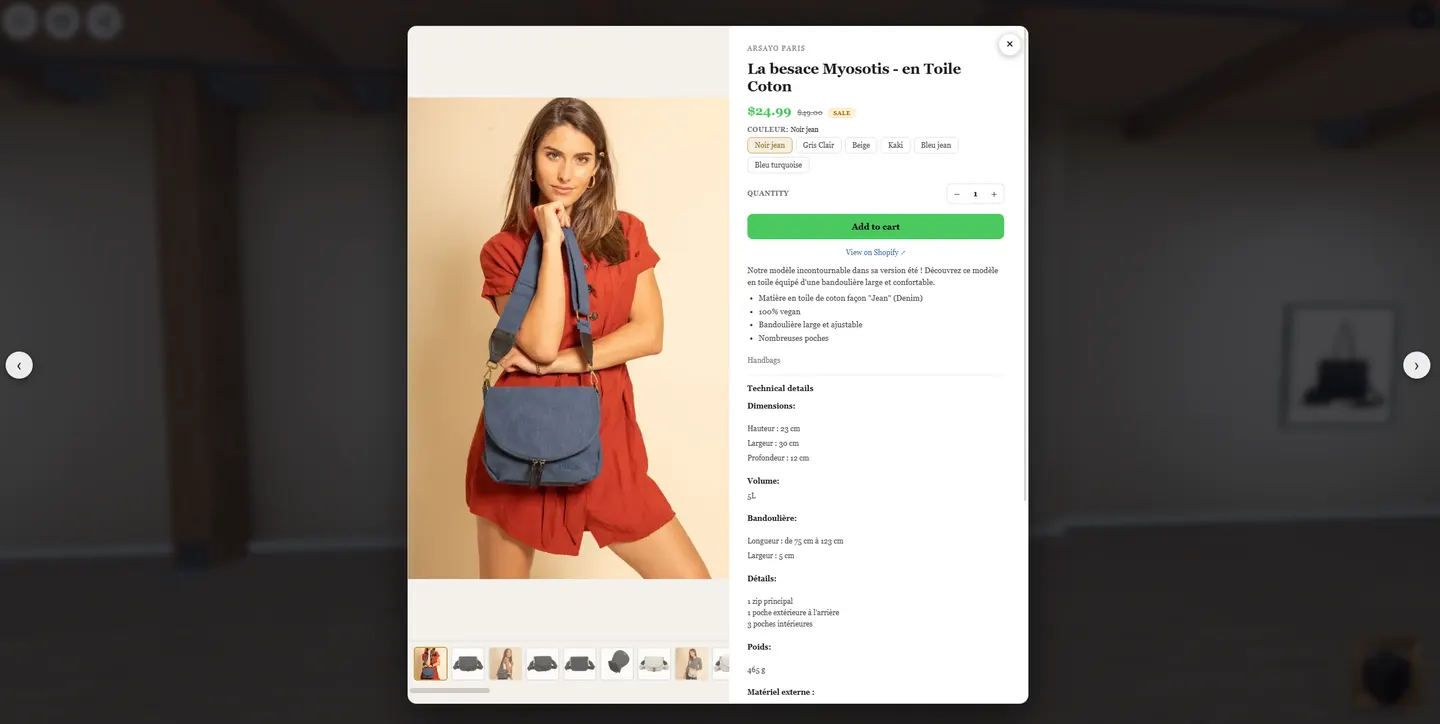
That matters more than it sounds. A caption tells someone what a piece is called. A page can show them how it was made, what it is printed on, how big it is on a real wall, and why it costs what it costs. If your work needs any explaining before someone will buy it, a caption is not enough room to do it in.
Taking payment
Almost every platform in this category uses the word sell. Only one of them means a cart.
Kunstmatrix and ArtPlacer both send the visitor out to your own shop, or collect an enquiry by email for you to answer later. Kunstmatrix can raise an invoice afterwards, but in every case the money changes hands somewhere else. Metasteps has no price on an artwork at all: its only payment route is selling tickets to a timed event.
MyGallery3D has a cart inside the gallery. A visitor can add several pieces while walking around, and for Shopify stores checking out opens your own Shopify cart with everything already in it, so payment, shipping, tax and discount codes all stay on your store where they already work. For shops on other platforms each piece links out to its own product page instead.
None of these platforms is itself a shop. If what you need is a gallery that takes payment directly, with tax and delivery handled inside it, that is a custom build rather than a monthly subscription. MyGallery3D does that as a separate service, so get in touch and they will tell you honestly whether it is worth doing for your situation.
Seeing who visited
Every platform counts something. The depth varies a lot, and only one lets the numbers reach the tools you already use.
ArtPlacer reports visits, top countries and most-clicked artworks, from its $23 tier upward. Kunstmatrix reports top artworks and country distribution, though it is switched off until you ask support to enable it. Metasteps gives a public view counter and a live indicator showing who is in the room right now, and nothing further: its own plan comparison table has no analytics row at any tier, including the €89 one, so this is not a feature held back for higher payers.
MyGallery3D reports visits and unique visitors, average time spent in the gallery, the split between phones and computers, which sites visitors arrived from, which pieces were opened and which were added to the cart, and a funnel running from arrival through to checkout.
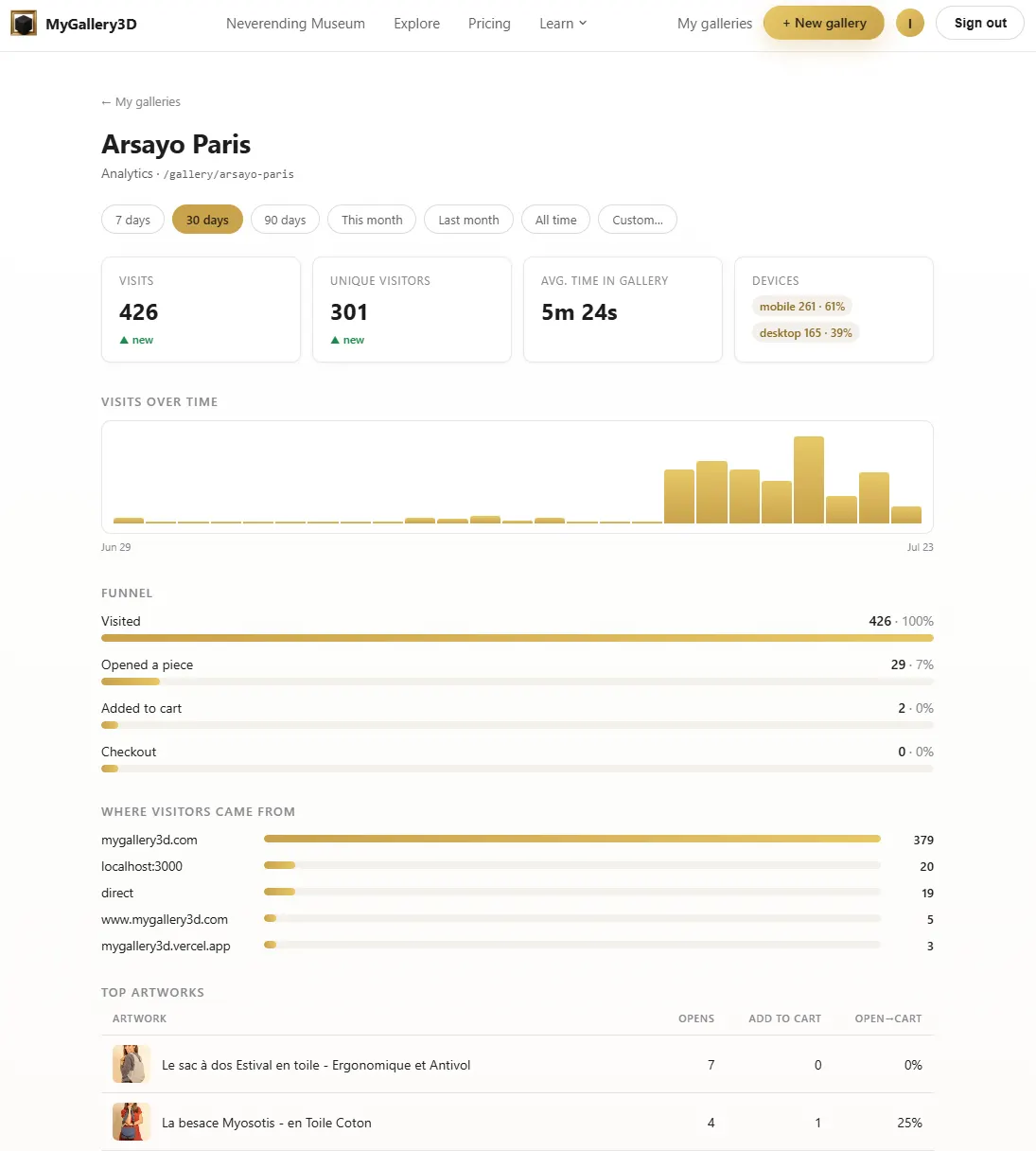
The bigger difference is your own tracking. We found no published way to connect your own Google Analytics or Meta Pixel on the other three. There is a partial workaround on any platform offering an embed code, since you can put the gallery inside a page on your own site and run your tracking there, but it will not see inside the gallery itself: you learn that somebody arrived and nothing about what they looked at.
On MyGallery3D the tracking runs inside the gallery, as part of the PRO add-on. Opening a piece and adding to the cart both fire as events, so the gallery reports into the same analytics and advertising tools as the rest of your business, and you can build retargeting audiences from people who walked through it and left without buying. If you pay for advertising, that is the difference between a gallery being a nice thing to have and a gallery you can actually measure.
Trying one
All four let you build something before you commit, so the sensible move is to try whichever one matches your situation in the list above. If you would rather understand the principles first, there is a guide to creating a virtual art gallery covering how to hang and curate a show that reads well, whichever tool you end up using.
And if your work already lives in a shop, you can watch the import happen in about a minute rather than take anyone's word for it: there are pages for Shopify stores and Etsy sellers where you paste your link and see your own products go up on the walls.
Update log
- 23 July 2026: added screenshots of all four platforms and of MyGallery3D's hanging, artwork pages and analytics.
- 21 July 2026: first published. All prices read from vendor pricing pages, several rendered in a browser because they are generated client-side, including the fact that Kunstmatrix shows different currencies by region, which is why other articles disagree about its price.