First, what Shopify already gives you free
Most articles on this topic skip this part, and it makes them untrustworthy to anyone who actually runs a Shopify store. Shopify's native 3D support is real, it is free on every plan, and it is better than people assume.
- 3D models are a standard product media type, sitting alongside images and video. GLB and USDZ, up to 500 MB, automatically optimised above 15 MB.
- Shoppers can orbit and zoom the model right on the product page, through Google's model-viewer component. No code, no app.
- Augmented reality is built in. On iOS the model opens in AR Quick Look, on Android in Scene Viewer, so a shopper can place the product in their own room.
- The Shopify mobile app includes a 3D scanner, so on a recent iPhone Pro you can make the model yourself.
So if what you need is a spinning product on a product page, you already have it and you should use it. Any tool selling you that alone is selling you something Shopify includes.
What a virtual showroom is
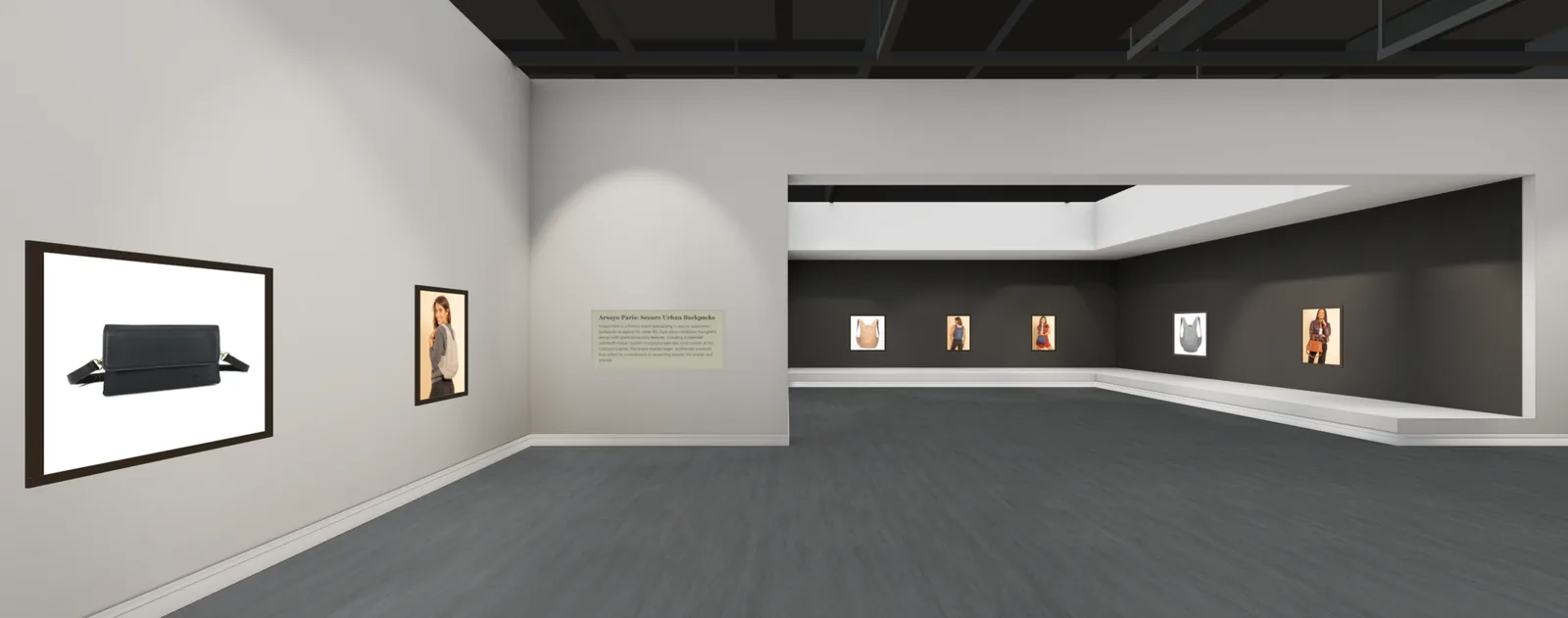
A virtual showroom is a 3D space holding your products, which visitors move through in an ordinary browser on a phone, a laptop, or in a VR headset. Instead of scrolling a grid, they walk: turning corners, seeing pieces at scale and next to each other, stopping in front of one to read about it and buy it.
For a Shopify merchant the practical question is how it attaches to your store, and there are two genuinely different answers. Some tools are apps that embed a 3D viewer into your existing product pages. Others, including ours, generate a standalone gallery from your catalog that lives at its own link, which you share anywhere: an Instagram bio, an email campaign, a QR code on packaging or at a market stall. The two solve different problems, and the comparison later in this guide is worth reading before you pay for either.
Does a 3D showroom actually sell more? An honest answer
You will find a figure repeated across almost every article on this subject: that Shopify found 3D and AR content lifts conversion by 94%. We are not going to use it, and it is worth explaining why, because it tells you something about the whole category.
That number comes from a Shopify social media post in 2020, not from a study. No methodology, sample size, time period, or control group was ever published. The page on Shopify's own blog that repeats it cites a trade article that now returns a 404, and Shopify has quietly dropped the figure from most of its current AR pages. It also describes interactions with AR content, and a walkable gallery is not AR.
What the actual research says
The peer-reviewed picture is more nuanced and, for a showroom specifically, more encouraging.
- A 2024 study in the Journal of Business Research, across three experiments, found that VR displays showing a product in a realistic setting produced stronger purchase intention than displays showing the product floating on its own. That is precisely the difference between a product-page viewer and a room.
- A 2022 Journal of Marketing study of a cosmetics retailer's real sales data found the effect concentrates where uncertainty is highest: less familiar brands, narrower-appeal products, higher price points, and shoppers new to the category. The authors describe the overall effect as small, but the direction is consistent.
- A 2025 experiment found that AR raised engagement compared with flat or 3D images, but did not by itself move purchase intention. Immersive presentation is an enhancement, not a substitute for good products and good photography.
And one finding that should genuinely change how you spend your money: usability research published in 2024 found that 87% of tested shoppers who encountered a view-in-your-room AR button declined to use it, while 41% watched product videos. If you were choosing between AR and better video, choose video.
The defensible conclusion is narrower than the marketing but more useful. Immersive presentation reliably increases engagement and time spent with a product, and it helps sales most when buyers are uncertain: unfamiliar brand, unusual object, higher price, hard to judge from a photograph. If that describes your catalog, a showroom is worth testing. If you sell commodity items people buy on price, it probably is not.
What a virtual showroom costs in 2026
This market is unusually opaque, and the opacity is itself the finding. Of the well-known virtual showroom and 3D commerce vendors, most publish no prices at all. Threekit, ByondXR, and Emersya all route you to a sales call. Several names that appear on comparison lists have quietly stopped operating.
Here is what is actually verifiable from vendors' own published pricing, checked in July 2026:
- Custom agency builds: agencies that publish rates put the first tier that includes real 3D and WebGL work at roughly $20,000 to $50,000 as a one-off project. Most WebGL studios publish nothing.
- Emperia, one of the few showroom platforms with public pricing: a free non-commercial tier, $9 per month billed yearly for freelancers, and a Studio tier starting at $200 per month billed yearly for commercial use.
- Shopify App Store 3D apps, which enrich product pages rather than build rooms: Angle 3D Configurator from $39 to $199 per month, LEVAR from free to $249 per month by model count, Zakeke from $69.90 to $299.90 per month plus a transaction fee of 1.5% to 1.9%.
- MyGallery3D: free to build and edit with no card. Publishing a gallery is $12.99 per month for up to 25 works, $18.99 for up to 50, or $24.99 for up to 100, each with a 7-day free trial and roughly two months free if you pay yearly. An optional $9.99 per month PRO add-on covers your whole account.
The pattern is worth naming: this category was built for enterprise buyers, priced through sales calls, and largely inaccessible to the small and mid-size stores that make up most of Shopify. The reason that has changed is not that 3D got cheaper to build by hand. It is that generating the room automatically removed the production cost entirely.
How to build one from your Shopify store
This is our tool, so read this section knowing that. The honest version, including the parts that will not suit everyone:
1. Paste your store link
Start from the Shopify builder and paste your store address, either yourstore.myshopify.com or your own domain. We read your catalog through the public product feed every Shopify store publishes by default, which is why there is no app to install, no OAuth screen, and no permissions to grant. Nothing is added to your store, so nothing can affect your theme or your page speed.
One thing to know up front: the import reads your whole catalog, not a single collection. Pasting a collection URL will not filter it. You choose what actually hangs in the next step, so this matters less than it sounds, but it is worth knowing before you paste a 2,000-product store.
2. Pick a room and a size
There are four rooms: Pavillon, White Gallery, NY Gallery, and Cube Gallery. Sizes hold up to 25, 50, or 100 pieces. Size to the number of products you actually want to show, not to your catalog: a room with empty walls looks abandoned, and one packed edge to edge looks like a warehouse. You can change the design later without rebuilding.
3. Let it build, then curate
The AI hangs everything evenly and drafts an introduction panel from your shop details. In our experience the import itself is usually a few seconds, and the build lands around a minute. Treat the result as a first draft: drag pieces between walls, swap, resize, remove, and undo freely.
What you can change: arrangement, sizing, which products appear, the frame on each piece (six wood and matte finishes, ten preset colours or a custom hex, or no frame), the introduction text, wall text panels, and wall videos. What you cannot change: the lighting and the wall colours, which are baked into each room design. If a specific wall colour is a hard requirement, choose the room that already has it.
Editing needs a computer. The drag-and-drop tools are disabled on touch screens, so build on a desktop even though visitors will mostly arrive on phones.
4. Create an account and publish
You can build and look around before signing up. An account is required before you can edit in detail or publish, and publishing is where the paid plan and its 7-day trial start. Your gallery then lives at its own address that you can share anywhere.
5. Check what happens at checkout
For Shopify stores specifically, visitors add pieces to a cart inside the gallery, and checking out opens your own Shopify cart with those items already in it. They pay you, on your store, through your existing checkout, with your shipping and your payment provider. We never handle the money. Worth testing yourself before you share the link.
Embedded 3D app or standalone showroom?
They are not competitors, and merchants who understand the difference often run both.
Choose an embedded 3D app when the job is to reduce doubt about one specific product at the moment of purchase. Furniture, eyewear, anything where a shopper needs to judge fit or scale. It works inside the funnel you already have.
Choose a standalone showroom when the job is to make your whole store worth visiting: a launch, a collection, a seasonal campaign, a virtual pop-up, or simply a link more interesting to open than a storefront URL. It sits before the funnel, in your bio and your newsletter, and it works without touching your theme.
A useful test: if the problem is that people reach your product page and do not buy, you want an app. If the problem is that not enough people reach it at all, you want something worth sharing.
Who this genuinely suits, and who it does not
It suits stores selling things that photograph poorly in a grid, where scale or presence matters, and where the buyer is making a considered decision: art, prints, ceramics, furniture, lighting, jewellery, instruments, design objects. It suits anyone whose work is physically large, because a grid destroys scale and a room restores it. And it suits sellers who need one strong link rather than a better funnel.
It suits you less if you sell fast-moving commodity items chosen on price and delivery speed, if your catalog turns over weekly, or if your traffic already converts well and your constraint is acquisition rather than presentation. In that case spend the money on better product photography and video first. The research is fairly clear that those still do more work than immersion does.